box-svgrepo-com A PLAIN GUIDE TO SHIPPING YOUR ONLY COPY

Anti-static bag, rigid protection, then at least two inches of cushioning on every side including underneath. Shake the sealed box: if anything shifts, open it and start again. Ship with tracking, insurance and signature confirmation, photograph the packed contents before you seal it, and send the tracking number to the laboratory the same day.

One leg, to the building that opens the drive. Never to an address that outsources it. The full procedure is below, by device, along with what the carrier actually covers and what to settle in writing before anything moves.

⚠️ LOOK FOR A LABORATORY YOU CAN DRIVE TO FIRST

We say this knowing it sometimes sends people elsewhere. A laboratory within driving distance means one hand-off instead of several, a person you can speak to about your own case, and the option of collecting the drive yourself if you decline the quote. Search for a certified clean room near you and ask the five questions further down this page. If the answers are good, drive there.

Shipping is what’s left when there is genuinely nothing suitable within reach, not the default. If you do have to ship, the rest of this page is how to do it once and do it properly.

HOW TO SHIP A DRIVE FOR DATA RECOVERY
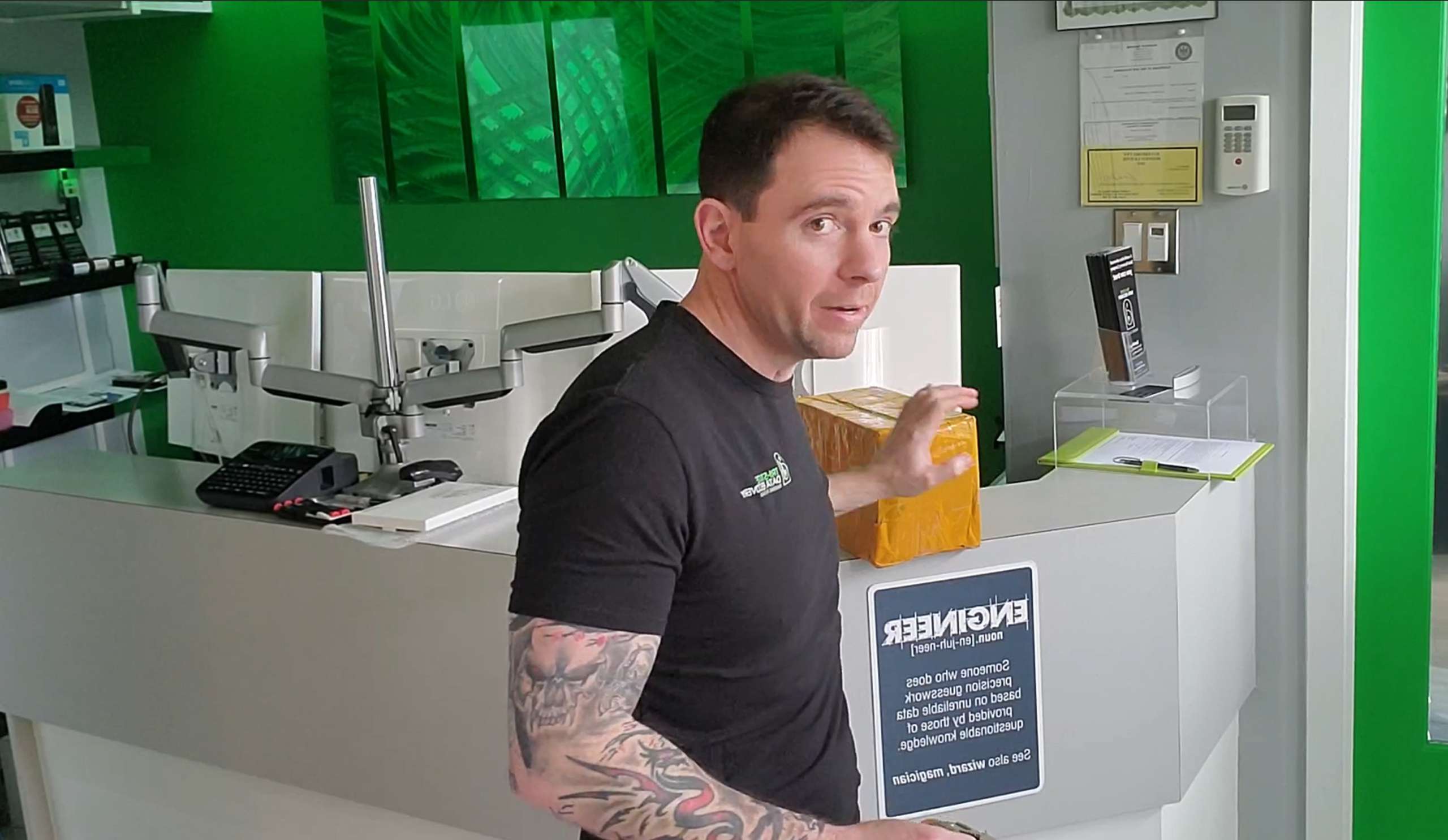
Don Anderson of Tri-State Data Recovery holding a shipped package at the King of Prussia office, explaining how to pack a hard drive for data recovery

Don Anderson with a drive that arrived by post. If you genuinely have to ship, pack it once and pack it properly.

1

THE NUMBER OF SHIPMENTS IT SHOULD MAKE


  • Anti-static bag, rigid protection, two inches of cushioning
  • Tracking, insurance and signature confirmation — keep the number and send it to us
  • Photograph the packed contents before sealing
  • Get the laboratory’s street address in writing
  • Ask what the costs are to have it returned if you deny the quote and confirm that it will be in the same condition as when it left
  • Default carrier liability is $100. It covers the drive, not what is on it

  • Call us first and we’ll talk you through it, free

Do it once, and do it properly. How to pack it by device, how many hands should touch it, what the carrier actually covers, and what to ask before it leaves. Written by the engineer who receives them.

BEFORE YOU SHIP IT

THE SHORT VERSION

Five steps. The rest of this page is the detail behind each one.

01

STOP USING IT

If the drive clicks, grinds or is not detected, unplug it. Every power-up spends part of what is left, and no packing method undoes that.

02

LOOK LOCAL FIRST

Find a certified clean room within driving distance and ask the five questions. One hand-off beats three, every time.

03

GET IT IN WRITING

That it isn’t outsourced, who opens it, the price, what return costs if you decline, and that it comes back as it left. Before anything ships.

04

PACK IT PROPERLY

Anti-static bag, rigid protection, two inches of cushioning all round. Tracking, insurance and signature confirmation, and a photograph of the contents.

05

SEND US THE TRACKING

Include the signed and completed authorization form and send us the tracking information using our contact form, so both ends watch the same parcel.

THE THING THAT ACTUALLY GOES WRONG

NOBODY WATCHES IT. SO SEND IT ONCE.

Couriers move enormous volumes of freight competently every day, and the risk is not really the courier. It is that every shipment is unsupervised from the moment it leaves your hands, and that each extra leg repeats that exposure in full.

Be clear about what a single shipment already is. A parcel is picked up, sorted, loaded, flown or trucked, sorted again and delivered, and dozens of people and machines handle it along the way. It is thrown, stacked under heavier freight, and dropped, and none of that is visible on a tracking page, which reports where a barcode was scanned, not how the box was treated between scans. No shipment is watched. Not one second of it.

That is the baseline for one journey, and it is the reason packing matters as much as it does. Every additional leg repeats the whole of it. A drive shipped to an intake address that outsources it onward is not one journey but two or three: a counter, a courier, a laboratory, sometimes a specialist beyond that, each with its own pickup, sorting and handling, plus transit time, a queue you cannot see, and a point where the answer to who had this, and when becomes somebody else’s record.

Here is what that looks like when it goes wrong. In 2024 a drive was mailed to us from Bucks County and never arrived on schedule. USPS tracking showed it bypassed our facility, went to Philadelphia, and sat there for several days before being delivered here, addressed to us the entire time. It arrived unrecoverable and did not match the client’s description. A police report was filed in Doylestown, Pennsylvania that same August. We cannot tell you what happened to it during those days, and neither can anyone else.

That was a single shipment to a single laboratory, and a gap still appeared. One journey is already more hands than anyone can name. Two or three journeys multiply every one of those hands, and the gaps get harder to see afterwards. So the question is not how far the drive is going. It is how many separate shipments it has to survive.

DO IT ONCE, PROPERLY

HOW TO PACK A HARD DRIVE SO IT SURVIVES SHIPPING

More drives are damaged by packing than by couriers. The single most common mistake is a bare drive in a padded envelope, which offers no protection against a drop and none at all against being stacked under something heavy.

The principle is the same for everything: the device must not be able to move, and it must not be able to touch any wall of the box. Cushioning without immobilizing is the failure. Wrapped loosely in a padded box a drive can still travel, and a drop the packaging survives can move a head across a platter. A head that touches a spinning surface takes magnetic material off it, and that material does not come back.

Things not to do, whatever the device: do not remove the circuit board, do not open the drive, do not write on the device’s own label, and do not use loose packing peanuts, which work into vents and connectors.

DeviceHow to pack itCushioning
3.5″ hard driveAnti-static bag, then bubble wrap around the drive or the original packaging. Sturdy box, nothing touching a wall.2 inches
2.5″ or laptop driveSame, and send it in the bag rather than reassembling the laptop around it. If you can’t remove it safely, send the machine.2 inches
External driveIf you have never opened the enclosure, ship the whole enclosure. Include the power adapter if it has one.2–3 inches
SSD or NVMeTape the board to a rigid card inside the bag so it cannot flex, then pack as above. Flex, not shock, is what kills these.2 inches
USB flash or SD cardRigid card inside the bag, then a small box. Never a padded envelope, whatever its size.2 inches
RAID or NASLabel the drives in the order they came out of the bays, bag each one separately, or ship the whole unit as it is. Never ship a rebuilt array.3 inches
Server or desktopOriginal packaging if you still have it. Remove nothing. Immobilize anything that can slide inside the chassis.4 inches

WHY THE ENCLOSURE MATTERS MORE THAN PEOPLE THINK

If an external drive has never been opened, ship it closed. An enclosure opened by an untrained hand is a second failure on top of the first, and on a good number of external drives the USB bridge is soldered directly to the drive’s own board, which means the enclosure is not a case. It is part of the drive, and part of the evidence of what failed.

WHY SOLID-STATE IS A DIFFERENT JOB

A hard drive is protected against shock. A solid-state device is protected against flex. A bare NVMe stick loose in a box bends every time the box is handled, and a cracked solder joint on a NAND package turns a straightforward recovery into board-level work with a hot-air station and a microscope. Tape it flat to something rigid and the problem disappears.

THEN THE PART THAT IS NOT PACKING

Ship with tracking, insurance and signature confirmation, and keep the number. Send that tracking number to the laboratory the same day so both ends can follow the same parcel. Photograph the packed contents before you seal the box, then photograph the sealed box with the label visible. That takes a minute and it is the only record you will have of the condition it left in. Hand it over at a counter and get a receipt, rather than using a drop box.

Include the authorization form with your name, phone number, email, and what happened: dropped, clicking, will not mount, water. Do not include passwords on the form. If the drive is encrypted, expect to supply the recovery key separately, because no laboratory can decrypt a drive without it.

WHAT “INSURED” ACTUALLY COVERS

THE INSURANCE COVERS THE DRIVE. NOT WHAT IS ON IT.

Before you choose a service, read what the carrier actually promises. All three major US carriers publish the same figure, and it is one hundred dollars.

FedEx states that “The first $100 of value in your shipment is included in your shipping rate at no extra charge as part of our standard $100 limit of liability,” and separately that “Declared value is not shipping insurance.”

UPS, in its 2026 Tariff and Terms and Conditions of Service effective 17 April 2026, sets its maximum liability at “$100 per Package where no value is declared,” and states that “Declared Value is not insurance and does not constitute insurance.”

USPS publishes that “Priority Mail Express® and Priority Mail® services include up to $100 of insurance in the price.”

Read 3 October 2026. One hundred dollars, three carriers. That figure covers the replacement cost of a hard drive. It does not cover the photographs, the patient records, the case files or the only copy of a business. No carrier prices the contents, because no carrier can see them, and nothing on the outside of the box tells anyone handling it what is inside.

You can insure the box. You cannot insure what is on the drive inside it, because no claims process replaces a file.

Now read that against the words a mail-in page uses. Free. Insured. Secure. The label is free because it is the step that makes the rest of it possible. Insured means one hundred dollars. Secure describes a parcel nobody watches between scans.

And there is a second point in the same sentence, which almost nobody checks. On a prepaid label generated on a company’s own carrier account, that company is the shipper of record, not you. The contract is between the carrier and them. If the parcel disappears, the claim is theirs to file, on their timeline, for one hundred dollars, and the carrier has no agreement with you at all. Ask who the shipper of record is on the label you are sent, and what declared value is on it.

You can declare a higher value, and you should. Understand what you are buying: a higher ceiling on the replacement of a physical object, with a claims process that requires proof of value. It does not make the data recoverable, and it does not shorten the gap if the parcel goes missing.

So insure it, and then pack it as though the insurance does not exist. For the thing you actually care about, it does not.

Sources: FedEx Declared Value & Limits of Liability · 2026 UPS Tariff/Terms & Conditions of Service · USPS Shipping Insurance and Delivery Services. Read 3 October 2026.

PRINT THIS BEFORE YOU PACK ANYTHING

Everything on this page, on one page you can print and keep beside the box. The questions to settle in writing before the drive moves, what not to do to it while you are deciding, how to pack it so it cannot shift, what to photograph before you seal it, what the carrier actually covers, and what to do if the tracking stops updating.

Download the one-page checklist (PDF)

It carries our phone number because we would rather you called, but nothing on it is specific to us. Use it to ship a drive to anybody. A drive packed correctly and sent to somebody else is a better outcome than a drive packed badly and sent to us.

BEFORE ANYTHING LEAVES YOUR HANDS

FIVE QUESTIONS ANSWERED IN WRITING

Ask these of us as readily as of anyone else. A company that answers all five before you commit can be compared to anybody.

circle-number-1-svgrepo-com

DOES MY DRIVE STAY WITH YOU, OR GET OUTSOURCED?

The question that decides everything, and it has a one-sentence answer if the answer is good. Ask whether any partner facility is involved, and what town and county the work is done in. Secure laboratories don’t always publish a street address, and evidence handling and HIPAA are real reasons not to, but every one of them can tell you the town, the county, and whether your drive leaves their custody.

circle-number-2-svgrepo-com

WHO IS TRAINED ON THE EQUIPMENT, AND CAN THEY PROVE IT?

Anyone with capital can buy a clean room and a PC-3000. None of it comes with the knowledge of how to use it, and anyone who worked in IT for twenty years can claim experience. Ask which platforms the engineer is certified on, at what level, who issued it, and whether they will send the documents. Ask for the name of the person working your case while you are at it.

circle-number-3-svgrepo-com (1)

WHAT DOES IT COST, AND WHAT IF I SAY NO?

The diagnostic, the recovery range, and crucially what it costs to have the drive returned if you decline the quote, plus written confirmation it comes back in the same condition it left in. A free evaluation that ends with an unexpected number and a return invoice is not free. It just charges you later.

circle-number-4-svgrepo-com

WHICH ISO CLASS, AND WILL YOU SEND ME THE CERTIFICATE?

ISO 14644-1 runs 1 to 9. Lower is cleaner, and each step permits about ten times more airborne particles than the one below. “ISO-certified” with no number tells you nothing, because Class 9 is roughly an ordinary office. “Class 100” comes from a federal standard withdrawn in 2001 and is about equal to ISO Class 5, one step dirtier than the Class 4 this work is done to. Ask for the document naming the testing firm, the standard, the class, the date and the technician who signed it.

circle-number-5-svgrepo-com

WILL I SPEAK TO THE PERSON DOING THE WORK?

Not a case number, and not a portal that updates when somebody remembers to. The person who answers the phone should be the person who opens the drive, because they are the only one who can tell you what actually failed, and the only one who can answer a question about your case without going to ask somebody else. On a drive that has already been shipped once, that matters more than anything on the invoice.


That difference in the fourth question is invisible until a drive is open. When platters are exposed for hours during a multi-platter recovery, the air above them matters more than anything else in the laboratory, which is why we built a larger, cleaner hood rather than working only from an 18-to-24-inch ISO 5 enclosure, and had it measured by a NEBB firm rather than resting on an in-house reading from a consumer particle counter, a device at least two laboratories publish as evidence of their clean room class.

Ours: two clean room flow hoods, both independently certified to ISO Class 4 under ISO 14644-1:2015 and both particle-tested by the firm that issued the certification. The certificate names the testing firm, the class, the date and the NEBB-certified technician who signed it, and we’ll email it to you before you commit to anything. See our certifications page.

REGULATED DATA

SHIPPING PATIENT RECORDS OR REGULATED DATA

If there is protected health information on the drive, the decision you are about to make has a compliance consequence, and it is not the one most people expect. HIPAA does not flatly require encryption. Under the Security Rule it is an addressable implementation specification, at 45 CFR §164.312(a)(2)(iv) for data at rest and §164.312(e)(2)(ii) for transmission, which means you assess it, implement it or document why not.

The consequence sits in the Breach Notification Rule. An impermissible disclosure of protected health information is presumed to be a breach unless you can demonstrate a low probability that the information was compromised. There is one clean exit: information that was properly encrypted is not unsecured, and losing it is not a reportable breach. That is the safe harbor, and it is the most valuable thing a practice has when a device goes missing.

A failed drive usually cannot reach it. You cannot encrypt a drive that will not mount. If full-disk encryption was already in place before the failure and you still hold the key, the drive ships secured. If it was not, it cannot be made so now. It ships unsecured, and if that parcel disappears you are running a four-factor risk assessment on records you can no longer examine, then notifying every affected individual without unreasonable delay and no later than sixty days, notifying the Secretary, and above five hundred residents of one state, notifying the media.

There is a second problem in the same envelope. A recovery company handling protected health information on your behalf is a business associate and needs an agreement with you. If it outsources the drive to a laboratory it has not named, that laboratory is a subcontractor and the chain of agreements has to reach it. An agreement you cannot see is an agreement you cannot produce. So the question is not “are you HIPAA compliant,” which everyone answers yes to. It is: do you open drives at this address, and if not, which company opens them, in what state and what county, and will you name them in the agreement?

The same logic applies to anything held under a retention obligation or a contract specifying where data may be processed: legal files, financial records, anything that could become evidence. The notification clock does not wait for a carrier investigation to finish.

WHY IT IS WORTH STAYING IN-STATE

ONE JURISDICTION, ONE CHAIN

If shipping is genuinely necessary, there is still a difference between shipping a drive across a county and shipping it across a continent, and it is not mainly about the miles. A drive that stays within one state stays under one jurisdiction, which matters if the material is ever contested, falls under regulation, or is held under a contract specifying where data may be processed.

It usually also means fewer parties. Long-distance arrangements more often involve an intake point, a company that outsources the work and a laboratory rather than a single recipient, and each addition is another place the record can break. And if you decline the quote, the return journey costs you time and money in proportion to the distance and added risk.

It makes an out-of-state laboratory a choice worth making deliberately rather than because a page written for your town happened to appear first. If there is a certified and capable laboratory in your own state that will answer the five questions above, that is the shorter chain and the safer option.

IF YOU ARE SENDING IT TO US

WHAT HAPPENS AT THIS END

We are one company with one point of contact: our headquarters at 630 Freedom Business Center Drive, Floor 3, King of Prussia, Pennsylvania. It shares a building with other businesses, but our office is private and ours alone, and the signage inside reads Tri-State Data Recovery.  We have a receptionist on our floor to sign for the package and hand deliver it to us.  Chain of custody is kept intact.

Our recovery laboratory and certified clean rooms are housed separately, in an undisclosed, camera-monitored secure compound in Montgomery County. That facility is not open to the public, and that is by design. The sensitive material we handle, including files that may serve as legal evidence, demands strict chain of custody and HIPAA compliance, and an access-controlled laboratory is how we guarantee it.

Your drive never leaves Montgomery County or our chain of custody, and the engineer you speak with on the phone is the same person who opens it. There is no partner facility anywhere in the process, so the answer to where your data went is one sentence with one address in it.

Call before you send anything and we will confirm the address, tell you how to pack it, and give you an honest view of whether the case needs a clean room at all. All cases must be pre-approved before being shipped in. That call is free and it comes with no obligation, including when the answer is that you would be better served by someone closer to you.

TRANSPARENT COSTS

THE COST OF PROFESSIONAL DATA RECOVERY

Active military, veterans, first responders, seniors, students and teachers receive a permanent 20% discount with valid ID. Full pricing is published on our pricing page — we publish it because most of this industry won’t.

$106

Diagnostic · Per Drive · Tax Included

Applied toward a successful recovery. Tells you what failed, the odds of success if the attempt is feasible, and what it will cost, before you commit to anything.

$400

Logical recovery starts here

Level 2 work starts at $800, clean room work runs $1,500 to $2,500. RAID, server and forensic work is quoted per case after diagnosis.

WHAT OUR CUSTOMERS SAY

HEAR WHAT LOCAL CLIENTS SAY ABOUT US

Jamal Wells profile picture
Jamal Wells
4 days ago
Don Anderson at Tri-State Data Recovery in King of Prussia was a tremendous help when my laptop’s SSD failed. As a Philadelphia architect and business owner, I deeply appreciated that he made an exception to fit me in despite having a medical appointment, recognizing the urgency. That kind of dedication is hard to find. His advanced expertise, including testing down to the component level, was matched by his personable, easygoing manner. He was a pleasure to talk with and helped make a stressful situation easier. Thanks to his high-level experience and clear recommendations, my laptop is now back up and running. I highly recommend Don for his expertise, honesty, and exceptional care. I would definitely use his services again.
I cannot say enough great things about Don Anderson and Tri-State Data Recovery! As a military veteran living in Coatesville, PA, finding a business that is trustworthy, reliable, and genuinely cares about its customers means a lot to me. From start to finish, Don was absolutely fantastic to work with. He was professional, knowledgeable, and incredibly responsive throughout the entire process. What impressed me most was his willingness to take the time to explain everything in detail, making sure I understood the recovery process and what to expect. He was upfront, honest, and never made me feel rushed or pressured. The service was fast, dependable, and exactly what you hope for when dealing with something as stressful as potentially losing important data. It's refreshing to work with someone who clearly takes pride in their work and values customer service. As a veteran, I also really appreciated learning that Tri-State Data Recovery offers a 20% discount to active-duty military members and veterans. It's a generous gesture and a great way to show appreciation for those who have served. If you're anywhere in the Chester County, Coatesville, or greater Philadelphia area and need data recovery services, I highly recommend reaching out to Don. His professionalism, integrity, communication, and customer service are second to none. Thank you, Don, for the outstanding service and for supporting our military and veteran community! You've earned my trust and my highest recommendation!
Gayle Brown profile picture
Gayle Brown
2 weeks ago
Extremely happy to have found Don, and that all work is done locally in Montgomery County, PA. After suffering drive failure and hoping to retrieve the data, I reached out to a larger company offering data recovery. While they advertised the service, they in fact send work elsewhere at an unbelievable cost. I made the decision to look for a local lab to control where my data would be handled securely. I found Tri-State Data Recovery!! Don was understanding, explained the process and pricing structure based on work required and successful recovery. I was very comfortable entrusting him with my data and even more pleased that he was able to recover it. Don makes it very easy to deliver equipment, provides updates throughout and has you verify before leaving with your data. I hope I don't need his services, but should another event occur I know who I will call immediately.
Brian Howells profile picture
Brian Howells
4 weeks ago
Don did incredible work retrieving data that I had almost given up hope on. Because of that, I managed to keep data that was very important to me. Don also worked fast and a process that I thought would take weeks only took a couple of days. I cannot recommend Tri-State Data Recovery enough.
Joseph Houk profile picture
Joseph Houk
4 weeks ago
Huge thank you to Don and Tri-State Data Recovery for their transparency, time, effort, and overall professionalism. From start to finish, they kept us informed and updated throughout the entire process. They also provided additional guidance, support, and insights for secure data management and security practices for the future. Luckily for our case, their recovery effort was successful and we are beyond thankful to have found them. We highly recommend Don and Tri-State Data Recovery to everyone in the Greater Philadelphia area. A+ across the board!!
CM K profile picture
CM K
4 weeks ago
I checked a few data recovery places and all of them were a racket. I wanted a person that I could hang off my drive too, that I could ask questions of, that would take the time to explain as well as listen to me. I wanted the personal touch. I definitely got that from Don at Tri-State Data Recovery. He was exceedingly patient and kind through the entire process. He explained everything thoroughly, detailing each step. And when he discovered that my drive was not as damaged as we thought, he was honest and didn't charge me through the roof. He was very fair and honest. If you are on the fence, go see Don. You will not regret it.
T Bragg profile picture
T Bragg
4 weeks ago
Had Tri-State Data Recovery look at an old Seagate external drive that stopped working. Don explained what needed to be done, including clean room dismantling. His diagnosis was as he predicted and he successfully retrieved nearly all of the files, including decades of family pictures. Very competent and thorough.
Janay Miller profile picture
Janay Miller
2 months ago
I cannot say enough wonderful things about Mr. Don. Although my data could not ultimately be recovered, he still deserves every one of these five stars. Mr. Don carefully examined my flash drive and explained that it was a monolithic device. Because of the severe way it had broken internally, recovering the data was unfortunately beyond what was technically possible. I want to make it very clear that this outcome was not a reflection of his knowledge or ability. Mr. Don is exceptionally knowledgeable, experienced, honest, and professional. I genuinely believe that if my data had been humanly recoverable, he would have found a way to retrieve it. Unfortunately, my flash drive did not simply need a data-recovery expert—it needed a miracle from God! What impressed me most was Mr. Don’s honesty and compassion. He did not make unrealistic promises, take advantage of my desperation, or pretend that he could perform the impossible. Instead, he patiently explained the problem and taught me an invaluable lesson about never storing important information in only one location—especially on a flash drive. Because of his advice, I now understand how important it is to maintain multiple backups of irreplaceable files. Of course, losing my data is heartbreaking, but sometimes unfortunate things happen in life. Even without the outcome I desperately wanted, Mr. Don still gave me something valuable: honest answers, greater knowledge, and guidance that can help prevent this from happening again. I wholeheartedly recommend Mr. Don to anyone needing data-recovery services. His expertise is impressive, but his integrity, kindness, patience, and professionalism are what truly distinguish him. A five-star professional is not only someone who succeeds when recovery is possible—it is also someone who is honest and compassionate when it is not. Mr. Don is exactly that kind of professional. Thank you, Mr. Don, for doing everything within your ability and for treating me with such dignity and care during an extremely stressful experience.
Don went above and beyond throughout the entire process. Not only was he incredibly thorough and thoughtful, but when I underestimated the storage I needed, he transferred everything to a larger drive at no additional cost, even though it took him twice as long. He is knowledgeable, patient, positive, and genuinely cares about his clients. After working with him, it’s easy to understand why he has so many five-star reviews. If you need data recovery or file transfers, I highly recommend contacting Don. Thank you again, Don!
RZR profile picture
RZR
3 months ago
Fast, expert service. I highly recommend!!
J G profile picture
J G
4 months ago
I contacted Tri-State Data after my daughter knocked my laptop on the ground and destroyed an attached USB drive. I initially called Staples, who told me that there was a high probability that they would send it to another location to assess the damage and get it fixed. I didn’t like the idea of my important files being sent somewhere that I didn’t know. My husband found Tri-State Data when looking for a reputable company in the area. Don responded to my call quickly. He worked with me to drop my USB off the next day. I appreciate that he gave me a timeframe for when he could assess the damage and call me back. He did exactly what he said he would. I dropped my USB off on a Thursday and had the recovered data by Tuesday. Don was extremely friendly and knowledgeable about data recovery. I highly recommend Tri-State Data to anyone needing to recover their data. It’s scary to have lost documents and nice to know that there are people who can help. Thanks, Don!
Julie Furru profile picture
Julie Furru
4 months ago
Don was very knowledgeable, professional, and kind! He explained everything well, kept in contact with me, and recovered all the data I needed. Thank you so much, Don!!!
Ed Hydock profile picture
Ed Hydock
4 months ago
Don did an incredible job recovering every piece of data on what I thought was a broken hard drive. The service is not cheap, but the information I thought I'd lost was incredibly important. So the price was absolutely worth the piece of mind that comes from having those materials back. Highly recommend!
Dan Haas profile picture
Dan Haas
6 months ago
don at tri state data recovery is a true trusted professional; a rare find in the cluttered world of data recovery. no sales gimmicks - just efficient, expert services delivered from his local lab! he recovered my data where others failed. HIGHLY RECOMMEND!!
Steve Kellner profile picture
Steve Kellner
7 months ago
I was in a panic after my hard drive became inaccessible and I feared that I had lost decades of pictures into the abyss. After doing some research and finding Don and Tri-State he put my mind at ease and was able to recover everything. I can't recommend him enough, very down to earth and easy to understand the intricacies of the process. I'd give 100 stars if possible!
Karen Lindsay profile picture
Karen Lindsay
9 months ago
In a total panic, I thought I lost everything on a work related flash drive!! Thanks to Don at Tri-State Recovery - he saved the day! I can't tell you how much time he saved me on recovering this flash drive ! Will absolutely recommend his services !! Thank you!!!
Accidentally bent my very important Flash Drive with many years worth of work! Don was able to recover the information and allow me to get back to work! I am following his recommendation to back up my work more often, but he definitely saved the day!! What a relief!! Will absolutely recommend this service !
William Meeryeck profile picture
William Meeryeck
9 months ago
Don from Tri-State Data Recovery did a superb job in the clean room recovering data from my WD EasyStore 5TB usb drive. I had stupidly left it attached to my desktop when trying to install additional RAM. It fell to the floor. What's worse, I even dropped it a 2nd time! When I plugged it in, the system wouldn't even recognize it... I brought the drive to Geek Squad with high hopes. Alas, they said there was nothing that could be done, it needed recovery done in a clean room. I was very lucky! Don was able to recover well over 95% of my data. And it's running perfectly now (a month later). Thank you Don so much!!!
Dave Gagliardi profile picture
Dave Gagliardi
4 years ago
Don at Tri State Data Recovery is a pleasure to deal with. He got some data recovery done for me within a few days. I had gotten a computer a few years ago at a big electronics store (BestBuy), and the SSD failed, and that store's G-Squad couldn't get the data off the hard drive. I called Tri State Data Recovery, and I was able to get an appointment soon, and met with Don, who is a wealth of information. He is friendly and helpful, and right away gives you a feeling that you've gone to the right place. He contacted me later that day and said he was fairly sure he could recover most or all of the data, and he gave me a timeframe of a few days, and then exactly on the day he said it would be ready, he contacted me again and said that he got it all done successfully, and at the promised price. It was top notch customer service, and I cannot imagine any better service. I am recommending to the company that I work for, that if we need data recovery services, that Don at Tri State Data Recovery should be enlisted for that. If you ever have the need for Data Recovery services, you should call Don at Tri State Data Recovery. He is extremely knowledgeable, and he is more than willing to teach you about how to avoid the problems that led you to his services, and to generally educate you about hard drives, and other electronic storage devices, plus its likely that he'll be able to assist in recovering data for you, although he notes that there are some times when data cannot be recovered. But he can guide you on what devices to buy (or avoid buying), and about backing-up data, so that you'll never need his services. Overall, my experience with Tri State Data Recovery could not have been better. I wish every business were this good.
Matthew Groth profile picture
Matthew Groth
4 years ago
Don did an awesome job in recovering the data from my hard drive that had failed with little warning. I feared that much of the stuff was lost forever, but thanks to Don's efforts about 99.9% of it was able to be recovered. What a relief! I would highly recommend Tri-State Data Recovery Services for anybody who finds themselves in a similar situation.
Rad D profile picture
Rad D
4 years ago
Don does the great job. Most likely the best data recovery service in the country. They won't ship your hard drive out of state or even out of the country, they do all the work on site. There are a lot of computer stores offering this service, but all they do is outsource it. Tri-State saves you money y doing everything in house. Very highly recommended.
Roger Wilson profile picture
Roger Wilson
4 years ago
Don was great! He managed to recover all my data from a hard drive that was corrupted and kept shutting down. The job was done quickly and the results were well worth the cost, saving me a TON of time and effort to reconstruct the information. He also provided guidance on backup systems and utilities to help avoid a similar incident in the future. Highly recommend!!
Elaine Leigh profile picture
Elaine Leigh
4 years ago
What a lifesaver! Don was extremely helpful, honest, and thorough in helping me recover really important data on a damaged external hard drive. He was available and communicated with me every step of the way and helped me get everything back! I am so impressed and would highly recommend this service for your most challenging data recovery needs.
Katie Pressler profile picture
Katie Pressler
4 years ago
HIGHLY Recommend Tri-State Data Recovery for any data loss. This company is the real deal - there are many companies that pose as recovery specialists but they will send your device to a 3rd party "recovery business" and will scam you for your money and not recover your data. Not the case with Tri-State! They were able to recover 98% of my data which has me speechless because I was convinced I would never see my files again. Don informs you of each step in the process making it smooth and easy. Couldn't be more grateful!
Don helped us recover a drive that went haywire and could have cost us an incredible loss to production. Thankfully, Don was able to quickly recover everything. He's fast, informative throughout the process, and gave us great information to avoid issues like this in the future. If you've experienced a loss of data, call Tri-State Data Recovery Services first!
Kyle H profile picture
Kyle H
4 years ago
what an amazing experience I had at Tri State Data. I highly recommend using them. I had my main server for my company go down and my back up failed and not only did Don get me right in because it was an emergency, but he did it fast and didn't take advantage of me on price when everyone else I called clearly was. They were fast and got 100% recovery which from what I hear isn't easy to do. They saved me months of data entry Do yourself a favor and call them you will not regret it!
Heather Teter profile picture
Heather Teter
4 years ago
Don was a life saver with being able to save my files. I had a passport external drive and it wasn't loading to my Mac or any other devices. I asked around and was directed to Don. I was super happy that he was local and I could drive to his office. I really didn't want to mail my drive somewhere. I wanted to be able to have a conversation and be able to trust the person with my files. Don is very knowledgeable, kind and I trust him. I spoke with him on the phone and then delivered my drive later that day. He was able to take a look at it and was able to save about 95% of my files. WONDERFUL! The drive had business files, personal files and photos on it. He did such a wonderful job and was quick. I was able to pickup the recovered files within the week. Thank You Don! I really appreciate it! :)

FREQUENTLY ASKED QUESTIONS

SHIPPING A HARD DRIVE — FAQ

Stop using the drive, settle the five questions in writing before anything moves, then pack it so it cannot shift: anti-static bag first, rigid protection around the drive, then a sturdy box with at least two inches of cushioning on every side including underneath. Shake the sealed box, and if anything moves inside it, open it and start again. Ship with tracking, insurance and signature confirmation, photograph the packed contents before you seal it, and send the tracking number to the laboratory the same day so both ends watch the same parcel. One leg, to the building that opens the drive, never to an address that outsources it.

More drives are damaged by packing than by couriers, and the most common mistake is a bare drive in a padded envelope, which offers no protection against a drop and none at all against being stacked under heavier freight. Anti-static bag first. Rigid protection next, meaning bubble wrap around the drive or the original packaging if you still have it. Then a sturdy box with at least two inches of cushioning on every side including underneath, so the drive cannot reach any wall of the carton. No loose packing peanuts, because they work into vents and connectors. If it can move when you shake the sealed box, it is not packed.

Shipping is a risk you take, not a service you buy. Scheduling an appointment and hand delivering the drive is always the safest option and assures the chain of custody is kept intact. A parcel is picked up, sorted, loaded, flown or trucked, sorted again and delivered, and dozens of people and machines handle it along the way. A tracking page reports where a barcode was scanned, not how the box was treated between scans. If there is no laboratory within driving distance of you, shipping is what is left, and the thing that decides the outcome is how well it was packed and how many separate shipments the drive has to survive.

You can, but we don’t recommend it. We’ve seen more issues with USPS than with any other carrier: delays, misroutes and parcels that stop updating. One of them was a drive mailed to us from Bucks County that bypassed our facility, sat in Philadelphia for several days and arrived unrecoverable. That is our own experience rather than a published statistic, and it is why we recommend UPS or FedEx with signature confirmation. Whichever carrier you use, hand it over at a counter and get a receipt rather than using a drop box, declare the real replacement value, and keep the tracking number. The default liability is one hundred dollars on all three.

Insure it, and understand what you are buying. All three major US carriers publish the same default limit of liability and it is one hundred dollars. Declaring a higher value raises the ceiling on the replacement of a physical object, through a claims process that requires proof of value. It does not make the data recoverable. No carrier prices the contents, because no carrier can see them and no claims process replaces a file. So insure it, and then pack it as though the insurance does not exist, because for the thing you actually care about, it does not.

If the drive is already out, send it in an anti-static bag rather than reassembling the machine around it. If it is still inside an external enclosure and you have never opened it, ship the whole enclosure. An enclosure opened by an untrained hand is a second failure on top of the first, and some external drives have the USB bridge soldered directly to the drive’s own board, which means the enclosure is part of the evidence. If the drive is inside a laptop or desktop and you are not comfortable removing it, ship the machine or bring it in.
The bag a new drive or a stick of RAM came in works. Stop by Staples and pick up one. What matters more than the bag is that the drive cannot move inside the box and cannot touch any wall of the carton. Do not wrap a bare drive directly in bubble wrap and call it done, and never use a padded envelope. If you have nothing suitable, call us before you pack anything and we will tell you how to do it with what you have.
For a bare internal drive, no. For an external drive still in its enclosure, include the power adapter if it has one, because the adapter is sometimes the fault and a mismatched replacement can finish a drive that was recoverable. Do not include the only copy of anything else, and do not send a second drive you want back unless it is listed on the authorization form. Include the form with your name, phone, email and what happened, and keep passwords off it.
Yes, and it is always the better option where it is possible. Scheduling an appointment and hand delivering the drive is always the safest option and assures the chain of custody is kept intact. Your only copy stays in your own car instead of a sorting facility, a truck and a second sorting facility. The chain of custody runs from your hand to the engineer’s. You know who has access to your data. And the price is quoted by the person who opened the drive rather than set after it arrived somewhere you have never seen.
You file a claim against the declared value, which covers the hardware and not the data. If the tracking has stalled for three business days, open a trace with the carrier rather than waiting. If it was delivered somewhere else, ask for the scan location and the signature in writing. If there was regulated data on it, the notification clock does not wait for the carrier investigation to finish, which is the part most people learn too late. On a prepaid label generated on a company’s own carrier account, that company is the shipper of record, not you, so the claim is theirs to file rather than yours.

That you probably cannot reach the HIPAA breach safe harbor. The safe harbor applies to information that was properly encrypted, and you cannot encrypt a drive that will not mount. If full-disk encryption was in place before the failure and you still hold the key, the drive ships secured. If it was not, it ships unsecured, and if that parcel disappears you are running a four-factor risk assessment on records you can no longer examine. There is a second problem in the same envelope: a recovery company handling protected health information is a business associate and needs an agreement with you, and if it outsources the drive to a laboratory it has not named, the chain of agreements has to reach that laboratory too.

Yes. A hard drive is protected against shock. An SSD, an NVMe stick, a USB flash drive and a memory card are protected against flex. Tape the board to a rigid card inside the anti-static bag so it cannot bend, then pack as normal. A bare NVMe stick loose in a box will flex every time the box is handled, and a cracked solder joint on a NAND package turns a straightforward recovery into board-level work. Never send flash media in a padded envelope.

Trusted by

🎖 Military & Veterans Discount

Tri-State Data Recovery proudly offers a permanent 20% discount on all data recovery services for active military and veterans with valid military ID. We understand your sacrifice and are honored to serve those who served us.

DRIVE THERE IF YOU CAN.
IF YOU CAN’T, SHIP IT ONCE AND SHIP IT RIGHT.

Call before you pack anything and we’ll tell you how to do it, free, and which service to use, whether or not you send it to us. Including when the answer is that somebody closer to you is the better call.