
Test the drive before anybody touches it. If it still spins normally, run the manufacturer’s quick test and read the result. Two minutes, free, and it answers the only question that decides what happens next: is this a hardware failure or a logical one?
Almost nobody does it, including the repair counters. They start a recovery program instead, which assumes the answer and spends the drive’s remaining life finding out. If the drive is clicking, grinding or was dropped, do not even test it. Unplug it and stop.
⚠️ NOBODY LICENSES THIS TRADE
Data recovery is an unregulated industry in America, and anyone can advertise the service. There is no licensing body standing behind a storefront the way one stands behind a pharmacy, no required training, and no inspection of the room a drive gets opened in. A shop can list data recovery on a sign on Monday having never opened a drive.
That is why the tips on this page are mostly questions rather than instructions. The answers arrive in minutes or they do not arrive, and that by itself tells you most of what you need to know.
DATA RECOVERY TIPS
From the Engineer, Not the Counter
8
TIPS, AND THE REASONS BEHIND EACH ONE
Run the quick test first. Never the long one
Clicking, grinding or dropped? Do not power it at all
Recovery software on a dying drive spends what is left
Nobody licenses this trade. Ask for the documents
Ask what town and county the drive is opened in
“ISO certified” with no number tells you nothing
A forum answer from another state has not checked your area
Free advice on the phone, whether or not you use us
The two-minute test nobody runs first, what a repair shop’s software actually does to a failing drive, and the two documents that settle whether anybody should be opening yours. Free advice on the phone whether or not you use us.
TIP ONE – THE STEP ALMOST EVERBODY SKIPS
TEST THE DRIVE BEFORE ANYBODY TOUCHES IT
This is the most important tip on this page. One question decides everything that follows, and a two-minute test answers it: is this a hardware failure or a logical one?
Almost nobody asks that question first. Repair counters and retail shops rarely test the drive at all. They plug it in and start a recovery program, which assumes the answer before anyone has established it. If the drive is failing physically, that program is not a diagnosis. It is hours of reading on a drive that has a limited number of reads left, and it is the single most expensive mistake in this trade.
You can settle it yourself in about two minutes, for nothing, with software published by the company that made the drive.
FIRST, THE ONE CASE WHERE YOU DO NOT TEST
If the drive is clicking, grinding, beeping, buzzing or scraping, do not power it on at all. Same if it was dropped while running, or if liquid reached it. Those are mechanical failures in progress, and two more minutes of spinning can turn a head problem into platter damage that nobody can undo. Unplug it and stop. Skip to Tip Two.
The test below is for the other kind of drive: one that still spins up normally and sounds the way it always has, but is slow, freezing, throwing read errors, disappearing from the system, or no longer mounting.
WESTERN DIGITAL, SANDISK, G-TECHNOLOGY
WD Drive Utilities reads the drive’s SMART data and runs the manufacturer’s own short self-test.
SEAGATE, LACIE, MAXTOR
SeaTools does the same, and will read SMART status and run a short test on a good many non-Seagate drives as well.
TOSHIBA, CANVIO
Toshiba Storage Diagnostic Tool reads SMART status and runs a short diagnostic on Toshiba internal drives and Canvio external drives.
If the drive is another make, check that manufacturer’s support site for its own utility and look for a SMART status check and a short or quick self-test. Nearly all of them publish one, and it is free.
RUN THE QUICK TEST. NEVER THE LONG ONE.
This is the part that matters, and it is where a lot of well-meaning advice goes wrong. Run the short test, the quick test, or the SMART status check. Do not run the extended, long or full surface test.
The short test takes a couple of minutes. It reads what the drive has already recorded about itself and runs a brief self-check that the drive’s own firmware performs. The extended test is a full surface scan of every sector on the drive, which is precisely the hammering this page is warning you about, and on a failing drive it can finish the job.
Two more things to leave alone while you are in there. Do not accept any option to repair, fix, or erase. And do not run CHKDSK or a disk repair utility on a drive you suspect is failing, because those write to the drive rather than read from it, and writing to failing media is how a recoverable case becomes an unrecoverable one.
WHAT THE RESULT ACTUALLY TELLS YOU
If the test fails, you have your answer and you should stop. That is a hardware failure. No software on a counter will fix it, no amount of scanning will improve it, and every further attempt costs you reads you cannot get back. Everything else on this page applies from that point forward, starting with the next section.
If the test passes, that narrows it. It does not clear the drive. SMART reports a pass on plenty of drives that are already in trouble, because it only flags what crossed a threshold the manufacturer set. A pass makes a logical fault more likely, which is the cheaper and more hopeful outcome, but a drive that passes and still will not mount is still a case for a laboratory rather than a surface scan.
THE ATTRIBUTES WORTH READING WHILE YOU ARE THERE
Most of these utilities will show the underlying SMART attributes if you look. Four of them tell you most of what you need to know about a mechanical drive:
Reallocated Sector Count and Reallocation Event Count record sectors the drive has already given up on and replaced from its spare pool. Current Pending Sector Count records sectors it is having trouble reading right now and has not resolved. Offline Uncorrectable Sector Count records the ones it could not recover at all. Any of those climbing above zero is the drive telling you it is losing surface, even if the overall status still reads PASS.
On a solid-state drive the equivalent is Percentage Used or the wear indicator, which reports how much of the designed write endurance has been consumed. Solid-state storage degrades with use, and when it fails there is often no warning at all.
WHY THIS IS THE BIGGEST ISSUE IN THE TRADE
Nothing above requires a laboratory, a certification or a paid service. It is two minutes and a free download from the company that built the drive, and it answers the only question that decides what should happen next.
And it is skipped almost universally. The drive gets handed across a counter, a recovery program is started because that is what is on the counter, and the test that would have stopped the whole sequence never happens. By the time anybody establishes that the fault was physical, the evidence and a good deal of the drive’s remaining life have both been spent.
TIP TWO – WHEN THE TEST FAILS, OR YOU NEVER SHOULD HAVE TESTED
POWER IT DOWN AND STOP
Almost every unrecoverable case we see was recoverable when it failed. What finished it was what happened next.
A drive that is clicking, grinding, slowing down or disappearing from the system is telling you it has a limited number of reads left. Every attempt to access it spends some of them, and nothing you do at a keyboard puts any back. So the first tip is the simplest one on this page: stop.
WHAT NOT TO DO, AND WHY EACH ONE COSTS YOU
Do not keep retrying it. Plugging it back in to see whether it works this time is the single most common way a recoverable drive becomes an unrecoverable one. A head that is already damaged is dragged across the platter surface on every attempt.
Do not run recovery software on it. This is dealt with in full further down, because it is the tip most people get wrong and it is the one repair counters get wrong on your behalf.
Do not put it in the freezer. The advice circulates because it occasionally produced a few minutes of access on drive designs that have not been manufactured in two decades. On a modern drive, condensation forms on the platters as it warms, and you have added contamination to a mechanical fault.
Do not open it. Not to look, not to free a stuck head, not because a video made it look straightforward. Ordinary room air carries particles many times larger than the gap a head flies at. Once that air is inside the housing, the damage is done whether or not anything looks wrong.
Do not rebuild the array. If the failure is in a RAID or NAS: power the unit down and stop. Don’t rebuild the array, don’t initialize anything, don’t reorder the bays, and don’t let anyone slide a replacement in to see what happens. A rebuild forces every remaining member to read and write harder than it has in years, and drives bought together tend to fail together, so the second failure usually arrives during the rebuild. Label the drives in the order they came out of the bays if they are already removed, or bring the entire server as it is.
WHAT TO DO INSTEAD
Write down what happened, in order, while it is fresh. What the machine was doing when it failed, what sounds it made, whether it was dropped, whether anything was spilled, and what has been tried since. That history changes the approach more than the make and model does.
Then call somebody and describe it before anything else happens. We give advice on the phone whether or not you end up using us, and we will tell you honestly whether a case even needs a clean room. A fair number of calls end with us telling somebody their problem is logical, their drive is healthy, and they do not need us.
TIP THREE- THE ONE THAT COSTS THE MOST
WHAT RECOVERY SOFTWARE DOES TO A FAILING DRIVE
This is the tip that matters most in money terms, and it is the one a repair counter will get wrong for you before you have finished explaining the problem.
A counter diagnoses a failing drive by reading it, because that is the only instrument on the counter. The software assumes a healthy drive with a logical fault, so it starts at the beginning and works through to the end, hammering the damaged areas hardest, on the one copy you have. A failing drive has a finite number of reads left in it, and that is how they get spent. Every minute of the attempt is spent out of the drive’s remaining life resulting in creating more bad sectors, a head crash or complete destruction of the drive. Local shops have been known to still charge a hefty price for returning only corrupted data.
WHAT A LABORATORY DOES INSTEAD
A laboratory uses professional hardware like the PC-3000 to test the drive, unlock its service area, back up and repair its firmware, create a head map and target the sectors relevant to your data. The file table is read first, so the imaging is aimed at the sectors your files actually occupy and the weakest areas are left until last, while consumer software attempts a full clone and spends the drive’s remaining reads on empty space, while also separating any damaged files so you know exactly what you are paying for.
Modern hard drives add a further requirement. The circuit board carries a serial flash ROM holding adaptive data unique to that drive that needs modification to allow access to the service area, so modern data recovery means advanced micro soldering, chip replacement and reflow, and ROM programming and SED unlocking. It takes expert-level training to do any of that without destroying the board or the chip.
None of that equipment is something a repair counter owns. It costs more than the shop’s entire tool inventory and it takes years to use properly. What costs you the data is not the diagnosis, it is the attempt. If your drive has already been through it, say so on the first call. It changes the approach, and what can be done.
SO THE TIP IS A QUESTION, NOT A PROHIBITION
Software is fine on a healthy drive with a logical problem: a deleted folder, an accidental format, a partition that vanished on a drive that still reads normally. It is the wrong tool the moment the hardware is failing, and the person running it usually cannot tell the difference.
Before anybody runs anything, ask: have you established whether this is a logical fault or a hardware fault, and what did you use to establish it? If the answer is that they plugged it in and ran a scan, the scan was the test, and the test was the damage.
TIP FOUR – THE SHOP THAT LISTS THE SERVICE
ADVERTISING DATA RECOVERY AND PERFORMING IT ARE TWO DIFFERENT THINGS
Repair shops and retail counters list the service, take the drive in, make software recovery attempts and then expose it to more risks by shipping the physical cases out of state. The arrangement is disclosed in a few words on a sign or a web page, if it is disclosed at all, so the company you handed it to, the company on the invoice and the engineer who opens it can be three separate names. Before it leaves the counter, ask two things: do you open drives here, and if not, what company opens them, in what state and what county? Then ask for name and certifications of the engineer and clean room. A shop that performs its own recoveries has no reason to withhold any of it.
WHY THE SHOP IS NOT NECESSARILY LYING TO YOU
Listing data recovery on a service board costs a shop nothing, and in an unregulated trade there is nothing to stop them. Many of them genuinely intend to help. The problem is not the intent, it is the sequence: the drive gets a software attempt first, because that is what is on the counter, and only after that attempt fails does anybody consider sending it to a laboratory. By then the drive arrives at the laboratory in worse condition than it left your hands in, and you are paying for the damage as well as the original fault.
That is the part worth understanding before you hand anything over. The question is not whether the shop is honest. It is whether a software attempt is about to happen to your only copy before anybody has established what actually failed.
THREE ARRANGEMENTS, AND WHAT EACH COSTS YOU
STATED OPENLY
Some chains publish the arrangement: the store is the intake point and a named laboratory elsewhere does the work. You can at least look that laboratory up, ask what ISO class its clean room is, and ask who opens the drive. The disclosure does not remove the shipping, the handoffs or the margin. It just means you can see them.
PRICES, NO LABORATORY NAMED
Prices are published for in-store recovery with no laboratory named anywhere. Ask which company performs the physical work and in what state. A number with no laboratory behind it contains somebody else’s fee and a margin you were not shown.
NOT DISCLOSED AT ALL
A national company sometimes uses a repair shop to host its listing on Google Maps, and a page can be generated for a town name without anyone being in the town. Put the street address into a search by itself and see who else is listed there, then put it into Street View and read the sign on the building.
Comparing the opening hours of two listings at one address, or asking for the clean room certification, will usually expose the truth. The practical consequence is the one worth understanding: a customer who calls the second name because the first did not convince them has telephoned the same building twice. The comparison they believe they just made never happened.
TIP FIVE – WHERE THE DRIVE ACTUALLY GOES
ASK WHAT TOWN AND COUNTY IT
A great deal of advertised data recovery is collected in one place and performed in another. The chain usually runs three deep with the most critical gap through several shipping factories and handling: you, the shop or provider that took the drive, and a laboratory nobody named. Each handoff adds a fee, and the invoice shows one number. The price you were quoted then contains somebody else’s fee, a margin you were not shown, shipping risks, possible data theft or a broken chain of custody.
If it leaves, ask what town and what county the work is done in, and who opens it. A single laboratory answers with one company and one name.
WHAT OUTSOURCING COSTS YOU BEYOND THE MONEY
The money is the easiest part to see and the least of it. What it costs you is the chain of custody. Your drive is taken in at one business, handed to a second, and shipped to a third, and no single party can account for it end to end. Every handoff is a point where nobody is responsible, and nobody can tell you which building your records were opened in or by whom.
There is a second exposure most people never think about, and it arrives at the end of the job rather than the beginning. A mail-in operation typically finishes by uploading the recovered files to a cloud account and emailing you a download link, and the speed of that handoff is what gets advertised. Count the exposures that creates. Your only copy travels through a courier system. It is handled by technicians you never meet, in a building you have never seen. Then a second copy of everything is pushed to a third party’s servers, under a retention policy you did not choose and cannot audit, reachable by a link that arrives in email.
A company can call that secure. It cannot show you the copy being deleted.
THE FREE EVALUATION, AND WHAT IT IS ACTUALLY FOR
A mail-in operation is the same arrangement with the counter removed. A free evaluation and a no data, no charge guarantee both describe what happens before a price exists, not what the recovery costs. The figure is set once your only copy is already inside a building you have never seen, at which point declining it means asking for the drive back, wondering what was done to it and hoping that it returns in the same condition as when it left. When you pay nothing for a diagnostic, they aren’t required to give you any paperwork explaining what they did to it. A prepaid shipping label is not a convenience in that arrangement. It is the step that makes the rest of it possible.
Ask before the label is used: what state and what county is the drive opened in, by who? What equipment are they certified on and can they prove it? Which ISO class is the clean room, and will you email me the certificate.
TIP SIX – WHERE THE ADVICE CAME FROM
A SMALL NUMBER OF VOICES SHAPE WHAT EVERYONE SEES
When a drive fails, most people do the sensible thing: they look for independent advice before spending money. A forum thread, a video, a review roundup, a list of recommended companies. All of it feels more trustworthy than an advertisement, and that feeling is the thing worth examining.
Every one of those channels has the same structural property. A handful of active participants produce most of the content, and the same handful decide what stays visible. On a forum that means moderators and a core of regular posters. On video it means whoever has built an audience. On a roundup it means whoever wrote the list.
A small group deciding what stays visible produces a narrow view that reads like consensus. A newcomer cannot tell the difference between “these are the good options” and “these are the options this group promotes.” What you are reading is what survived moderation, not everything that was said, so the absence of a dissenting view does not mean there was not one.
THE TEN-MINUTE TEST, AND IT DOES NOT DEPEND ON US
Find a data recovery forum and read the threads where somebody asks where to send a failed drive. Note which companies get named. Then read a thread from somebody in a different state. Then another, from the other side of the country.
If the names change with the location, the advice is about you. If the same handful of names comes up no matter where the person asking lives, the advice is about the people answering.
That test works because of how these places are built. A forum’s answers come from its most active posters, and several of the most active voices in this trade publish lists of labs they recommend and appear on each other’s. A recommendation inside a reciprocal network is not an independent assessment, and it never says so.
THE SPECIFIC THING IT COSTS YOU
You are told to put your only copy in the mail and ship it several states away, by somebody who does not know what county you are in and has not checked. Certified laboratories are genuinely rare, and in some states there isn’t one. If that is where you are, shipping is what’s left. But nobody answering from two thousand miles away has established that, and checking costs you nothing.
So ask the question nobody asks: where am I, and what is near me? Somebody who says mail it out of state without knowing which state you are in has not answered a question about your drive. They have answered a question about themselves.
Three threads that agree may be one source, three times. Treat any recommendation as a starting point rather than an answer, then check the three things no stranger can check for you: what is near you, what it costs, and who would actually be opening the drive.
TIP SEVEN – THE TWO DOCUMENTS
THE ROOM, AND THE PERSON IN IT
Of everything on this page, these are the two worth insisting on, and both arrive by email in minutes or they do not arrive.
THE CLEAN ROOM, BY NUMBER
ISO 14644-1 runs 1 to 9, lower is cleaner, each step about ten times. “ISO-certified” with no number tells you nothing. Class 9 is roughly an ordinary office, and “Class 100” comes from a standard withdrawn in 2001 and is about equal to ISO Class 5, one step dirtier than the Class 4 this work is done to. Ask for the document naming the testing firm, the standard, the class, the date and the technician who signed it. This matters more than anything when the platters are exposed for hours during a multi-platter recovery procedure.
Two things do not count as an answer. A filter specification is not a measurement: a micron rating tells you what was installed, not what the particle count above your platters is while they sit open. And a consumer air quality monitor is not a certification, nor a device capable of certifying an environment.
If somebody tells you the standard measures air per cubic meter and does not require a walk-in room, they are technically correct and it changes nothing. A laminar flow hood can be measured and classified exactly like a room can. The question was never whether the enclosure has walls. It is what the measured class of that air is, which firm measured it, and on what date.
THE ENGINEER, BY CERTIFICATION
The room alone decides nothing. Anyone with capital can buy a clean room, a PC-3000 and a shelf of donor drives, and none of it arrives with the knowledge of how to use it. Twenty years in IT is experience rather than training, and in a trade nobody licenses, experience is whatever the person saying it decides it means.
So ask which platforms the engineer is certified on, at what level, who issued it, and whether they will send the documents. Those answers arrive in minutes or they do not arrive.
Ours: two clean room laminar flow hoods, both independently certified to ISO Class 4 under ISO 14644-1:2015 and particle-tested by the firm that issued the certification, with the certificate naming the testing firm, the class, the date and the NEBB-certified technician who signed it. Expert-level certification on both PC-3000 and DeepSpar, Micro-Soldering Rework and Repair completed at ACI Technologies in Philadelphia, and Certified HIPAA Security Professional through 4Med. See our certifications page.
TIP EIGHT – GETTING IT THERE
Hand Delivery, and What To Do If You Ship Instead
Scheduling an appointment and hand delivering the drive is always the safest option and assures the chain of custody is kept intact. Your only copy stays in your own car instead of a sorting facility, a truck and a second sorting facility, which is where drops, heat, cold and loss happen. You know exactly who has access to your data, rather than a questionable and faceless technician with unknown qualifications. And the price is quoted by the person who opened the drive rather than set after it arrived somewhere you have never seen.
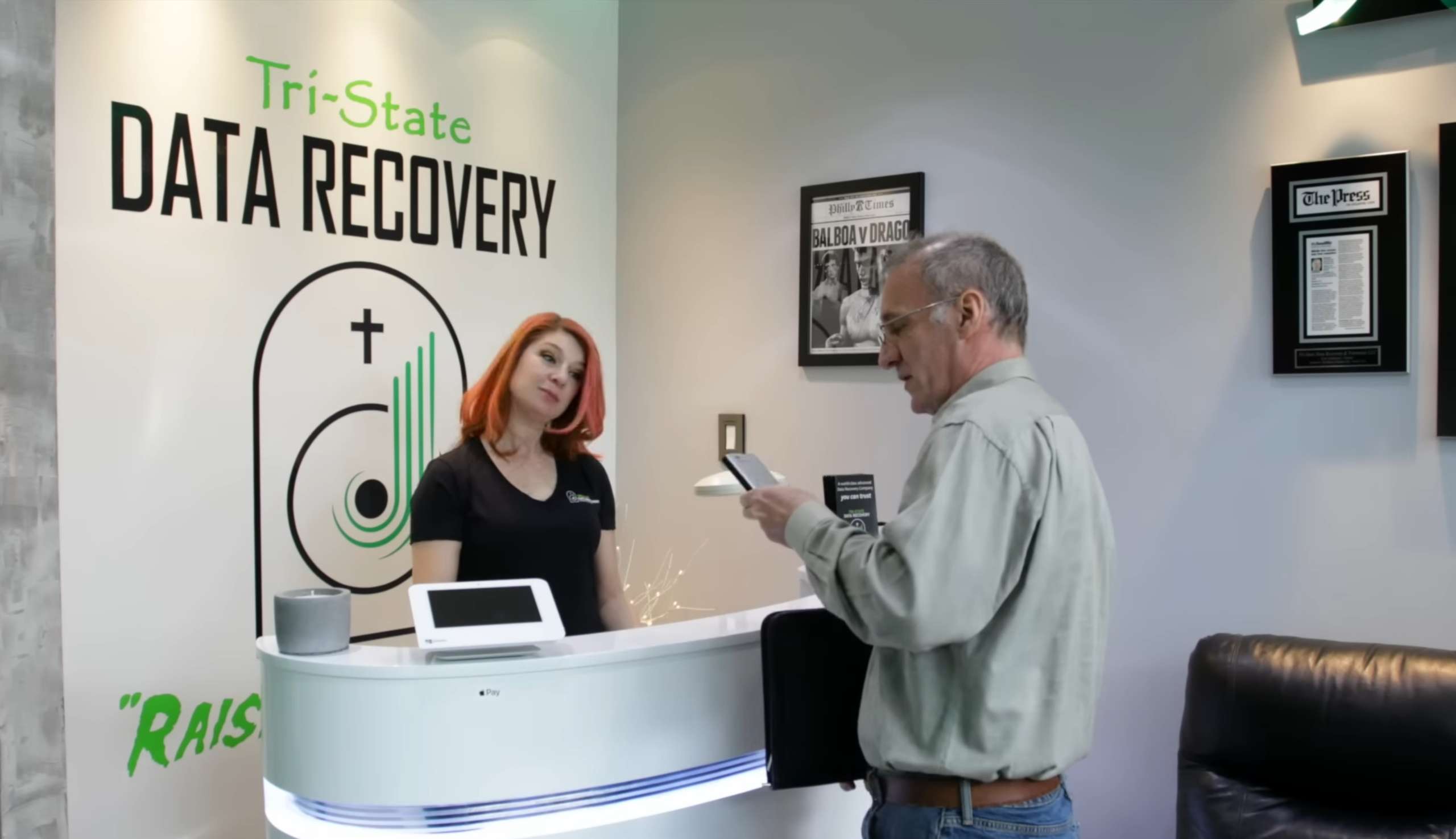
Some people still choose to ship, and our shipping page explains the proper way to do it and the risks involved in exposing your drive to the shipping process. The packing advice there is free and it is not specific to us, whether or not the drive comes here, including which service to use.
On that last point: we have noticed more issues with USPS than any other carrier and recommend only UPS or FedEx with signature confirmation. That is our own observation rather than a published statistic, and it is anchored to a 2024 case where a drive mailed to us from Bucks County bypassed our facility, sat in Philadelphia for several days and arrived unrecoverable.
If you are local, scheduling an appointment first means you hand it over and leave. You are not waiting in a queue at the counter or paying for a rushed tier that isn’t necessary. Visit the King of Prussia mall, the Valley Forge Casino, or take a swing at Top Golf next door while you’re here!
WHAT ANY COMPANY SHOULD ANSWER
FIVE QUESTIONS THAT SETTLE IT
These work on us as readily as on anyone else. A company that answers all five in one phone call can be compared to anybody.
DOES MY DRIVE STAY WITH YOU, OR GET OUTSOURCED?
The question that decides most of the rest. Ask what town and county the work is done in, and whether any partner facility is involved. Secure laboratories do not always publish a street address, and evidence handling and HIPAA are real reasons not to, but every one of them can tell you the town, the county, and whether your drive leaves their custody.
WHO IS TRAINED ON THE EQUIPMENT, AND CAN THEY PROVE IT?
The other question that decides it. Anyone with capital can buy the room and the tools, and twenty years in IT is experience rather than training. Ask which platforms, at what level, issued by whom, and whether they will send the documents. Ask for the name of the person working your case while you are at it.
WHAT DOES IT COST, AND WHAT IF I SAY NO?
The diagnostic, the recovery range, what return shipping costs, and written confirmation the drive comes back in the condition it arrived. Before anything moves, not after. A free evaluation that ends with an unexpected number and a return invoice is not free. It just charges you later.
WHICH ISO CLASS, AND WILL YOU SEND ME THE CERTIFICATE?
Ask for the number, the testing firm, the date and the signatory, not the word “certified.” ISO 5 and “Class 100” are the same thing and both are about ten times dirtier than ISO Class 4. A filter rating is not a measurement and a consumer air monitor is not a certificate.
WILL I SPEAK TO THE PERSON DOING THE WORK?
Not a case number, and not a portal that updates when somebody remembers to. The person who answers the phone should be the person who opens the drive, because they are the only one who can tell you what actually failed, and the only one who can answer a question about your case without going to ask somebody else.
That difference in the fourth question is invisible until a drive is open. When platters are exposed for hours during a multi-platter recovery, the air above them matters more than anything else in the laboratory, which is why we built a larger, cleaner hood rather than working only from an 18-to-24-inch ISO 5 enclosure, and had it measured by a NEBB firm rather than resting on an in-house reading from a consumer particle counter, a device at least two mail-in laboratories publish as evidence of their clean room class.
Ours, for comparison. One person opens every drive that comes into this laboratory, and it is the same person you speak with on the phone when you call. Every case starts with a $106 diagnostic per drive, tax included, applied toward a successful recovery, and you receive a phone call with a firm quote before any work begins. Rush service on emergency cases is quoted per case, by the engineer, before the case is accepted. Full figures are on our pricing page, published because you cannot compare what isn’t published, and because a published price cannot quietly contain another company’s fee.
