Apple Mac, MacBook
& iMac Data Recovery
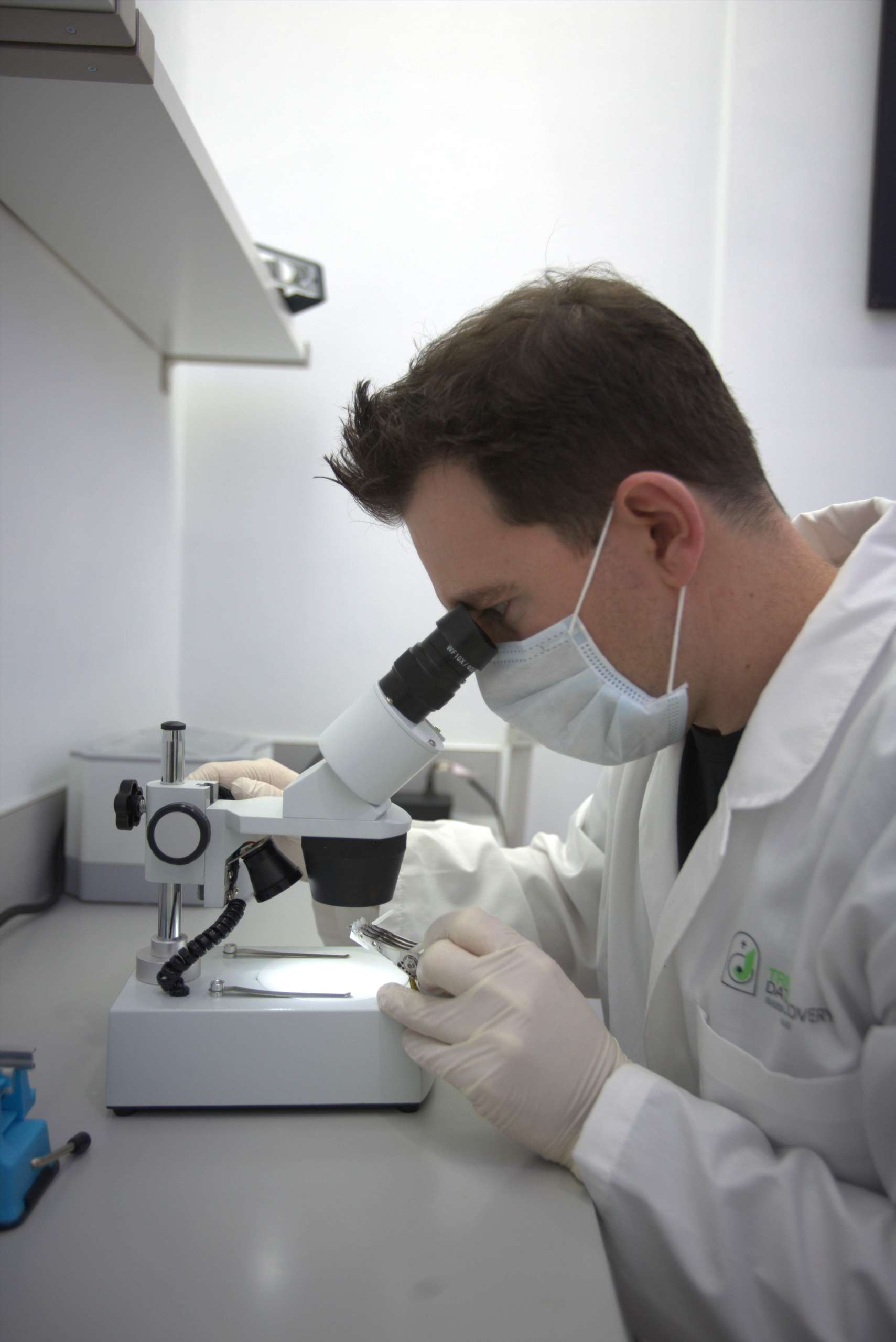

Apple Stores, the Genius Bar, and most Apple Authorized Service Providers are built around replacing failed components, not extracting data from them. That much is disclosed. What is not disclosed is what happens next: the customer is directed to ship the drive to a company on the other side of the country, with no mention of what shipping exposes the drive to, what the recovery will cost, or who opens it when it arrives.
Apple Store / Genius Bar
When your Mac won’t boot, Apple’s standard path is to replace the logic board or storage module entirely. There is no in-house data recovery service — by design. If the part is swapped, the data on the original component is gone unless it was recovered first.
We work on the original, failed hardware first — attempting to extract your data before any board or drive gets swapped. Recovery and repair are two different goals, and ours is recovery.
AppleCare covers hardware repair and replacement costs — it has never covered data recovery, and Apple says so directly. A backed-up Mac is protected either way; an un-backed-up one needs a recovery specialist, not a warranty claim.
Apple has used four fundamentally different storage designs over the years. The recovery approach depends entirely on which one your Mac uses.
Pre-2012
Older iMacs and MacBooks used conventional 2.5″ or 3.5″ hard drives, mechanically identical to PC drives. These respond to traditional clean-room recovery techniques for clicking, grinding, or undetected drives.
2012–2019
A hybrid pairing of a small SSD cache with a larger HDD, presented to macOS as one volume. Apple’s software dynamically moves data between the two based on usage. If either half fails — or the pairing breaks — both components need to be recovered separately and the volume reconstructed.
2018–2020
Intel-based MacBook Pro, MacBook Air, Mac mini, and iMac Pro models from this window encrypt all SSD data through Apple’s T2 chip. The encryption keys live inside the T2’s Secure Enclave — not on the drive. If the logic board fails, the data is locked behind a chip, and the storage is soldered to that board. There is no connector that reaches around it, so the only route is board repair. We do not perform board repairs, and we will tell you that before you make the trip.
2020–Present
On every Apple Silicon Mac, storage is soldered directly to the logic board and encrypted through the chip’s own Secure Enclave — there’s no separate, removable SSD at all. Recovery has to work at the board level, with the original chip, rather than pulling and reading a drive independently. We do not take these cases, and we say so before you make the trip.
We diagnose which storage generation we’re dealing with first — that determines everything else about the approach.
Some cases involving mainboard repair may not be possible or feasible due to parts availability and cost, and we will tell you which before you commit to anything.
| MacBook Pro (Intel, 2012–2020) | MacBook Pro (M1–M4, 2020–present) | MacBook Air (Intel & Apple Silicon) | iMac (standard HDD, pre-2012) | iMac with Fusion Drive (2012–2019) |
| iMac Pro (T2 chip) | iMac 24″ (M1, M3, M4) | Mac mini (Intel & Apple Silicon) | Mac Studio | Mac Pro (2013, 2019, Apple Silicon) |
| Apple MacBook SSD (NVMe) | Time Machine backup volumes | FileVault-encrypted drives | APPLE Time Capsule | LaCie Rugged |
Apple’s own built-in recovery tools can be the fastest way to permanently lose data on an encrypted Mac, if used the wrong way.
ISO 14644-1 runs 1 to 9, lower is cleaner, each step about ten times. “ISO-certified” with no number tells you nothing. Class 9 is roughly an ordinary office, and “Class 100” comes from a standard withdrawn in 2001 and is about equal to ISO Class 5, one step dirtier than the Class 4 this work is done to. Ask for the document naming the testing firm, the standard, the class, the date and the technician who signed it. This matters more than anything when the platters are exposed for hours during a multi-platter recovery procedure.
Scheduling an appointment and hand delivering the machine is always the safest option and assures the chain of custody is kept intact, but some people still choose to ship. We’ve put together a dedicated page explaining the proper way to do it and the risks involved in exposing your drive to the shipping process. Call first and we’ll tell you how to pack it properly, free, and which service to use, whether or not you send it to us. Our office is at 630 Freedom Business Center Drive, Floor 3, King of Prussia, and there’s parking. Visit the King of Prussia mall, the Valley Forge Casino, or take a swing at Top Golf next door while you’re here!
Most repair paths treat your Mac as a hardware problem to fix. We treat it as a data problem to solve first — attempting recovery before any component gets replaced, so a board swap doesn’t quietly end your chances.
We won’t promise to bypass FileVault, Activation Lock, or Secure Enclave encryption without proper authorization or credentials — and we’ll tell you plainly if a case falls outside what’s recoverable, rather than taking your money on a case we can’t help with.
Every Apple case is worked by our own engineer in our own secured Montgomery County laboratory, never outsourced to a partner facility and never shipped out of state. Drop-off and collection are at our King of Prussia corporate office, and you hand the machine to the person who will do the work.
From legacy spinning-disk iMacs to T2-secured Intel MacBooks to the latest Apple Silicon machines, we understand how the recovery approach has to change with each generation — because treating them all the same is how data gets lost permanently.
Medical practices, law offices and businesses trust us with Apple devices holding sensitive data. Don Anderson is a Certified HIPAA Security Professional, and no case is outsourced, so no third party ever holds your records. HTCIA member since 2012, with court-ready documentation and expert testimony when a matter requires it.
Anyone with money can buy recovery hardware. Expert-level certification on both PC-3000 and DeepSpar, DFL for solid-state work, and advanced micro-soldering certified through ACI Technologies in Philadelphia. Ask any company which platforms their engineer is certified on, who issued it, and whether they will send you the documents. We will.
$106 DIAGNOSTIC
Per drive, tax included, applied toward a successful recovery
Apple recovery pricing depends on which storage architecture is involved. A standard hard drive recovery is priced very differently from a Fusion Drive with two failed components. Every case starts with the $106 diagnostic, and you get a phone call with a firm quote before any recovery work begins. Logical recovery starts at $400, Level 2 work at $800, and clean room work runs $1,500 to $2,500. Fusion Drive and multi-component cases are quoted per case after diagnosis. We publish these figures because you can’t compare what isn’t published, and because a published price cannot quietly contain another company’s fee.
4.9 stars across over 300 Google and Facebook reviews — including clients who came to us after Apple’s own recommended path didn’t work out.
“The experience I had with Tri-State Data Recovery (Don Anderson) was amazing … When my MacBook files got corrupted , I took my laptop to Apple Store in Allentown ,PA , after they checked it, they told me that they can’t save or recover my files , and they told me thinly option you have is to reinstall the OS , which means I would lose all my files.. I was so disappointed because eI have so many important business files, which are priceless and important for my business , so I asked them if there is anyway to recover them, they referred me to a third party company in California ,which I was not so excited to ship my MacBook to Cali, so I googled the company which does recovery, and luckily I found out Tri-State Company which located Philadelphia within driving distance from my town , I called the company and Mr . Anderson answered the phone, and welcomed me to bring the my MacBook to his shop , which I did.. I was amazed by the labs he had in place, its mazing , top class equipments, and I felt so comfortable to leave my important Data for him to recover them, sure enough the next day he called me and all the data were recovered , I felt like part of my brain was restored and I had so much peace and resumed my business like before.. I loved it.. Don Anderson speaks of confidence and knowledge and he delivered as he promised.. I am so Happy.”

“I called Don after my wife’s MacBook Pro drive crashed. Don was the best, walked us through the process and couldn’t have been more up front about what we were facing. He saved us hundreds of dollars and recovered over 1,500 pictures & videos of our 3 children that were priceless in our eyes. I can’t say enough about how Don treated us, he is a class act and very good at what he does!”

“My daughter lost all of her school work and photo library from the past 2 years when her iMac crashed. Don was able to recover every bit of data after Apple was unable to do so. He did it within 24 hours of receiving the hard drive and sent it back to us just as quickly.”
“My son loves taking photos. We never backed up his Mac laptop, and the hard drive started to fail. Our local electronics chain store tried to get the files backed up but was unable to recover the photos — that was a waste of money. Don removed the drive and analyzed it right in front of me, gave me a fair price, and was able to recover the photo files! My son had thousands of vacation photos saved.”
“My hard drive crashed without warning. I spoke to the Apple Store and they said they do not recover hard drives and it could cost thousands of dollars and it’s not guaranteed. After searching for several recovery centers I had a bad feeling about giving it to just anyone. Don did an excellent job and was very professional — he was able to recover 99 percent of my files. He even kept a backup of my files until I was able to go through everything and make sure it was all there.”
Does AppleCare cover data recovery?
No. AppleCare and AppleCare+ cover hardware repair and replacement costs — they have never included data recovery as a service. If a board or drive needs replacing under warranty, the focus is getting the device working again, not recovering what was on the original failed component. That’s a separate, specialized service we provide. Despite this, Apple Store staff will often refer customers needing recovery to large out-of-state labs by default. For anyone handling sensitive personal, medical, or business data, that referral carries real risk: shipping a drive across the country means losing direct control over chain of custody, and a provider who isn’t HIPAA-compliant may not meet the standards your data legally requires. A local recovery lab lets you verify those safeguards firsthand instead of taking it on faith.
My MacBook has a T2 chip and won’t turn on. Is my data gone?
We don’t take T2 cases, and here is why, so you can judge anyone who says they do. On 2018 to 2020 Intel Macs the T2 chip’s Secure Enclave holds the encryption keys and those keys never leave the chip, while the storage itself is soldered to the same board. Apple’s Customer Data Migration Tool does not work on T2 machines, so there is no connector that reaches the data around a damaged board. The only route is board repair, which we do not perform. If a company quotes you on a T2 Mac, ask what town and what county the board work is done in, and by whom, and get the answer in writing before the machine leaves your hands.
What is a Fusion drive, and why is recovering one different?
Fusion Drive, used in iMacs from roughly 2012 to 2019, pairs a small SSD with a larger hard drive and presents them to macOS as a single volume. Apple’s software dynamically decides which data lives on the fast SSD tier versus the larger HDD tier based on how often it’s accessed. If either component fails, or the pairing between them breaks, the entire volume can become inaccessible — even though the other component may be perfectly healthy. Recovery requires repairing and imaging both pieces separately and reconstructing the unified volume, which is a different process than recovering a single standard drive.
Can you recover data from an Apple Silicon Mac (M1, M2, M3, M4)?
No, and we will tell you that on the first call rather than after we have your machine. On every Apple Silicon Mac the storage is soldered to the logic board and encrypted by the chip’s own Secure Enclave, so there is no drive to remove and the only route is board repair. We do not perform board repairs. What we do recover: MacBooks and iMacs with removable SSDs or hard drives, Fusion Drives, the 2016 and 2017 MacBook Pro through Apple’s Customer Data Migration Tool, Time Capsule and LaCie externals. All of it is recovered in our own certified ISO Class 4 clean rooms in Montgomery County, by the engineer who answers the phone.
I spilled coffee on my 2016/2017 MacBook Pro with a Touch Bar and now it doesn’t power on. Can you recover data from this model?
Yes. The 2016 and 2017 MacBook Pro models have a special connector that allows a tool to connect directly to the mainboard called a lifeboat plug. It is used in Intel processors combined with Apple’s older T1 chip. We have obtained this hardware and technique from Apple specifically for recovering data from this model.
I forgot my FileVault password. Can you still recover my data?
If you have your FileVault recovery key (the 24-character code Apple generates when you first enable FileVault), yes — that key alone is sufficient to decrypt the volume independent of your login password. Without the recovery key and without the original password, we cannot bypass FileVault encryption; this is by design on Apple’s part, and no legitimate recovery service can override it without proper authorization and credentials.
Apple recommended that I ship my drive out of state for recovery. Is that necessary?
No. Apple does not perform data recovery itself, so a Genius Bar or authorized provider will often refer a case beyond hardware replacement to a national laboratory on the other side of the country. That referral is disclosed. What is not disclosed is what it costs you: your only copy travels three thousand miles before anyone has looked at it, no price exists until it is already inside their building, and the chain of custody is broken the moment it leaves your hands. Ask any company you are considering what town and what county your drive is opened in, and by whom. Ask for it in writing. Then get a local assessment in person before you commit to a shipping label.
How long does Apple data recovery take?
It depends heavily on the Mac generation and failure type. Standard hard drive and logical recoveries on older Macs often complete within a few business days. T2 and Apple Silicon board-level cases can take longer due to the precision required and parts availability. We give you a realistic timeframe on the phone call with your firm quote, after the diagnostic.
🎖 Military & Veterans Discount
Tri-State Data Recovery proudly offers a permanent 20% discount on all data recovery services for active military and veterans with valid military ID. We understand your sacrifice and are honored to serve those who served us.
Tri-State Data Recovery has been the Philadelphia region’s trusted source for professional in-lab data recovery since 2011 — including Apple devices that Apple’s own support paths couldn’t help with. Speak directly with a recovery engineer before any board gets swapped.

630 Freedom Business Center Drive
☎︎ Call now and leave a detailed message for emergency services! We will return your call ASAP!
• Write-Block Imaging
• Court ready computer forensics reports
• Expert court testimony
• DoD hard drive erasing