EMERGENCY GUIDE – IN-LAB CLEAN ROOM RECOVERY

Dropped Hard Drive Recovery
What To Do in the First 10 Minutes

It slipped off the desk. The cable caught your foot. The laptop hit the floor. Whatever just happened — the next few minutes matter more than anything else in this recovery. A dropped hard drive is a mechanical injury, not a glitch, and what most people instinctively do next (plug it back in “to check”) is exactly what turns a recoverable drive into a lost one. Take a breath, follow the checklist below, and know this: dropped drives are among the most recoverable cases we see — when they reach our lab before the damage

Trusted by

Attention Attention

The First 10 Minutes: Do This Now

STEP 1

Power it off. Now. If it’s still connected and running, disconnect it. If it was off when it fell — leave it off.

STEP 2

Do not plug it back in “to check.” If the heads were damaged, every second of spinning risks scraping the platters that hold your data.

STEP 3

Note what you heard. Clicking? Beeping? Nothing? What the drive did in those first seconds tells us what broke inside.

STEP 5

Call us before anyone else touches it. (800) 798-0727 — speak directly with the engineer who will work your case.

A CASE LIKE YOURS

“It Fell 2½ Feet. Then It Started Clicking.”

⭐⭐⭐⭐⭐

“My 1TB WD external hard drive fell about 2 1/2 feet to the carpeted floor. At first, it seemed like it was working. Then, however, I heard a clicking sound and it just stopped. We stored all of our files on that drive, including our son’s baby pictures. I was repeatedly told there was nothing anyone could do for it. My wife and I met with Don, who showed us his lab and clean room. Don was able to recover 98% of our files — every file of importance was found intact, and he charged us much less than the estimates we received from other data recovery services.”

Joe Cook
Vineland, NJ · Customer Testimonial

Notice the details in Joe’s story: a short fall onto carpet — not concrete, not stairs — was enough. It worked briefly before failing — the classic pattern. And multiple companies called it hopeless before it reached a real clean room. All three of those details repeat in dropped-drive cases every single week.

INSIDE THE DRIVE

What Physically Happens When a Hard Drive Falls

A hard drive’s heads fly closer to its platters than a smoke particle is wide, over surfaces spinning thousands of RPM. Even a short drop rearranges that geometry violently.

Head Slap

damaged heads from drop - tri-state data recovery

The impact bounces the read/write heads against the platter surface. Even one contact can bend the head arms or chip the sliders — the drive may still run, but the heads are now damaged and degrading with every rotation.

Stiction

stuck head from forced stiction removal - Tri-State Data Recoverystuck head from forced stiction removal - Tri-State Data Recovery
The heads come to rest on the platter surface instead of their parking ramp and adhere there. The drive hums or beeps but won’t spin — the motor is fighting heads that are stuck to the disks. Forcing it makes it worse.

Actuator & Alignment Shift

head alignment x-ray - tri-state data recovery
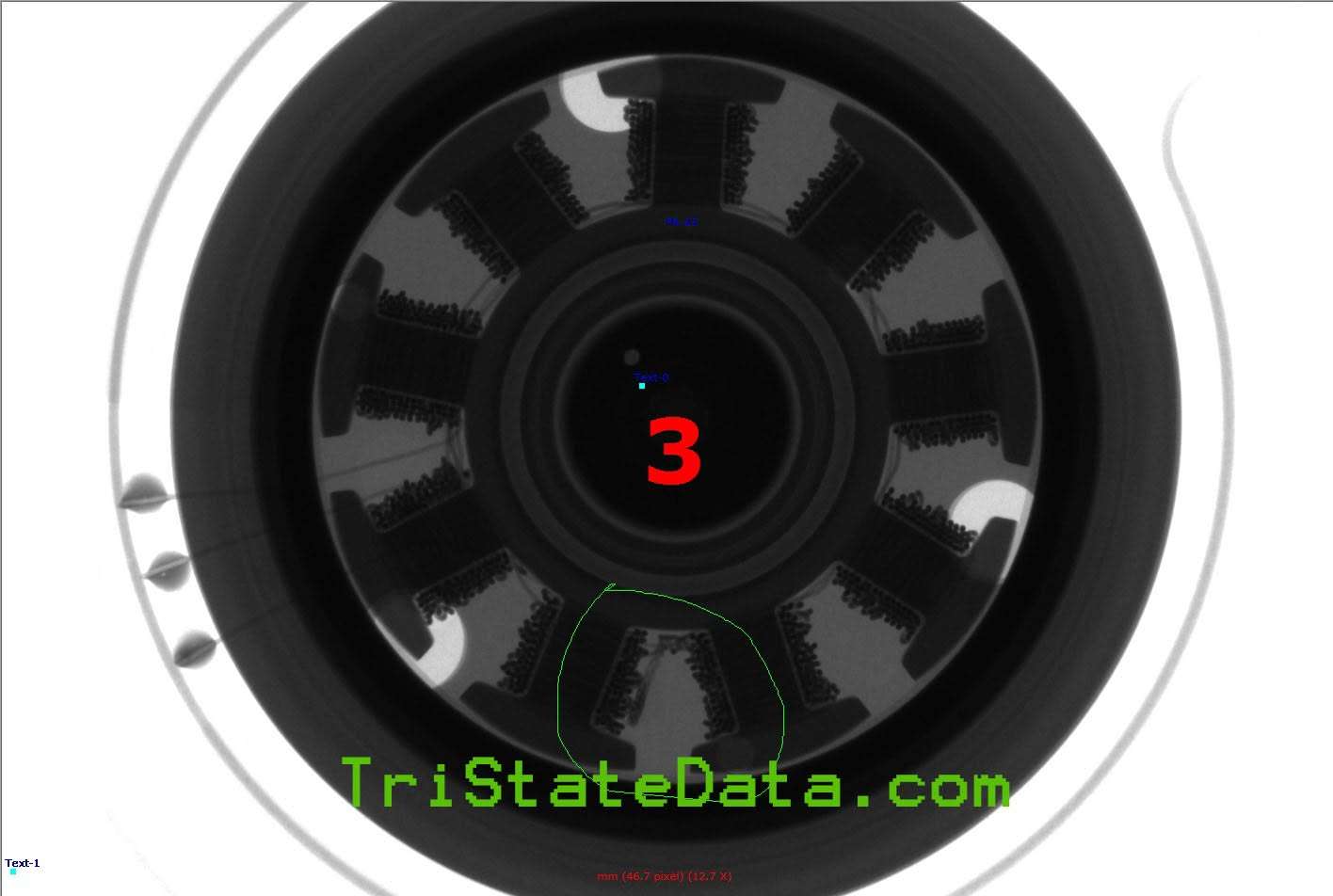
The precision arm that positions the heads gets knocked out of alignment. The drive spins normally but can’t find its own servo tracks — producing the rhythmic click-click-click of endless repositioning attempts.

Spindle & Bearing Damage

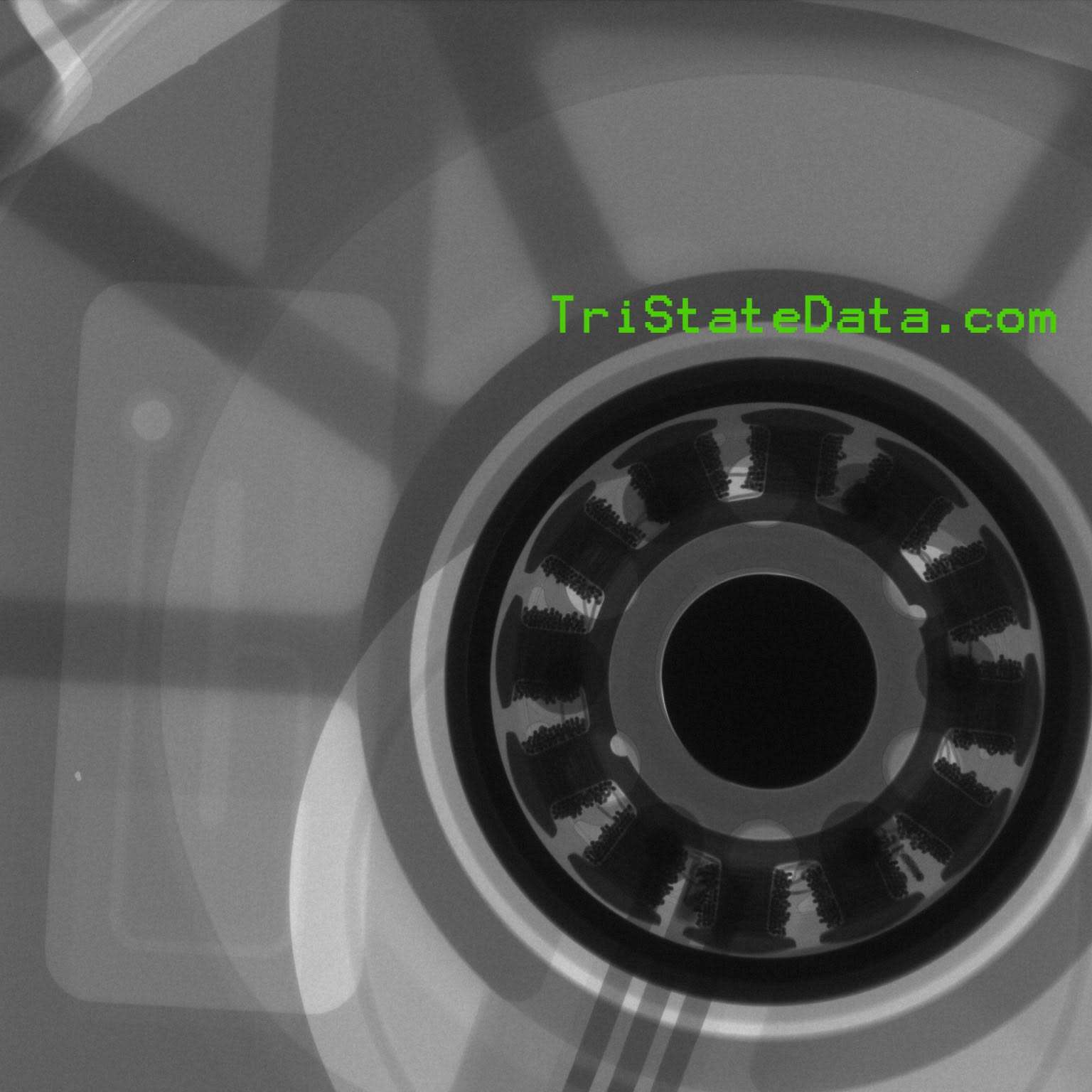
hdd spindle & bearing x-ray - Tri-State Data Recovery

A hard landing can damage the motor bearing the platters spin on. The drive whines, buzzes, or won’t reach full speed — and platter wobble makes head contact more likely with every spin-up.

Platter Scoring — The One That Ends It

platter scoring - Tri-State Data Recovery

Damaged heads dragged across spinning platters scrape away the magnetic coating where your data physically lives. Scored platters are unrecoverable by any lab on earth. Every power-on after a drop gambles with this outcome.

Latent Damage — The Silent One

x-ray of disk surface - Tri-State Data Recovery

The drive survives the drop and keeps working — on weakened heads and stressed bearings. Then it fails days or weeks later, often mid-backup under sustained load. A dropped drive that “still works” is on borrowed time.

WHY IT MATTERS

Dropped While Running vs. Dropped While Off

The single biggest factor in a dropped drive’s fate is whether it was powered on when it fell.

THE RECOVERY PATH

How We Recover Dropped Drives

Dropped drives are physical cases — which means the environment and the diagnosis matter more than anything. Every dropped-drive case at Tri-State Data Recovery follows the physical recovery path: no-power assessment first, inspection in our certified on-site clean room, donor part matching when heads or motors need replacement, and controlled imaging that treats the drive as fragile. Your drive is never “tested” by powering it on, and it never leaves our King of Prussia laboratory — no shipping, no outsourcing, no second company.

Certified Clean Room, On-Site

Dropped drives requiring internal work are opened only in our quality-tested, independently certified clean room — the controlled environment a drive with impact damage demands.

Every Drive Type

External USB drives, laptop drives from a dropped notebook, desktop drives knocked over in a move — the mechanics of impact damage are the same, and so is our capability. External drive? We handle every brand and enclosure.

Second-Chance Cases Welcome

Told it’s hopeless? So was Joe Cook. We regularly recover dropped drives other shops declared unrecoverable — there’s no charge beyond the diagnostic if we can’t recover your data.

REAL RESULTS

Featured Stories & Dropped Drives Recovered

⭐⭐⭐⭐⭐

“I own a very busy recording studio and needed one of our dropped hard drives recovered quickly. Don was able to recover all of my data within a week and it was way cheaper than the other guys out there. The laboratory was very impressive and Don educated me on what had really happened to the hard drive. They literally saved my business this month!”

⭐⭐⭐⭐⭐

“Don from Tri-State Data Recovery did a superb job in the clean room recovering data from my WD EasyStore 5TB usb drive. I had stupidly left it attached to my desktop when trying to install additional RAM. It fell to the floor. What’s worse, I even dropped it a 2nd time! When I plugged it in, the system wouldn’t even recognize it… I brought the drive to Geek Squad with high hopes. Alas, they said there was nothing that could be done, it needed recovery done in a clean room. I was very lucky! Don was able to recover well over 95% of my data. And it’s running perfectly now (a month later). Thank you Don so much!!!”

⭐⭐⭐⭐⭐

“As you can imagine, if you need to call someone for data recovery you’re probably in a bad position, and mine was no exception. I was backing up my main hard drive containing the only copies of my clients’ video footage when my 1-1/2-year-old knocked the drive to the floor. I found Don’s company online and called — he answered even though it was pretty late on a Saturday night. He gave me regular status updates and was able to recover the whole drive!”

David Rosenzweig
Rosetree Films · Customer Testimonial

⭐⭐⭐⭐⭐

“It’s extraordinarily difficult to find a local clean-room for data recovery. But here it is. Tri-State was efficient, honest and fair. They had a quick turn around, were upfront about the realities of saving the files and diligently persevered to rescue my data. Don saved my hard drive, which had suffered physical damage after a fall and was completely inaccessible. 99% of my data was recovered for a fair price. I cannot recommend Tri State Data Recovery more highly. So grateful.”

Emilie Krause
Customer Testimonial – Google Local Guide

⭐⭐⭐⭐⭐

“After dropping an external drive which contained two-years worth of business files and research, I was sure that recovery would not only be costly but may not be possible. I went to Tri-State Data Recovery and met with Don Anderson. Don is the consummate engineer, technician, and business professional. He recovered my data in less than three days. He was extremely transparent—full disclosure—of the probability of success, the procedures necessary, and the associated cost. I am truly grateful for his industry knowledge, expertise, and support.”

Sherri Bergen
Customer Testimonial – Google

FREQUENTLY ASKED QUESTIONS

Dropped Hard Drive Recovery FAQ

Not yet. A drive that survives a drop often has latent head or bearing damage that fails days or weeks later — frequently mid-backup, when the drive is under sustained load for the first time since the fall. If your dropped drive still works, back up your most important data immediately, starting with the smallest irreplaceable files first (documents and photos before videos), then retire the drive. Do not treat a working dropped drive as a healthy drive.  If the drive locks up or hesitates during file transfer DO NOT run recovery software or continue attempting to copy overnight!  This will create excessive media damage and data loss.

This is the classic dropped-drive pattern — it’s exactly what happened in Joe Cook’s case above. The impact damaged or misaligned the read/write heads, but they limped along briefly before failing completely. The clicking is the actuator arm sweeping and resetting as the damaged heads fail to locate the servo data they need to position themselves. Power the drive off immediately; every additional click risks the heads contacting the platters where your data physically lives.

Yes, significantly. Powered off, the heads are parked safely off the platters and the disks aren’t spinning. Powered on, the heads are flying nanometers above spinning platters — an impact slams them directly into the surface holding your data. A drive that was active when it fell should be treated as an emergency: power off, don’t retry, straight to the lab.

Unfortunately, height and surface matter less than people assume. Hard drive heads operate at tolerances measured in nanometers — Joe Cook’s drive (featured above) fell 2½ feet onto carpet and suffered a fatal head failure. Carpet reduces the shock but doesn’t eliminate the internal whiplash that damages heads and bearings. Treat any drop seriously, regardless of how gentle it looked.
No — both are folklore that destroys drives. Tapping a drive with stiction can tear the stuck heads and rip the magnetic coating off the platters where they’re adhered. Freezing does nothing for mechanical impact damage and adds condensation on the platters and electronics. There is no safe home remedy for a dropped drive — the honest options are professional recovery or accepting the loss.

Dropped drives are physical cases, and most require clean room work — head replacement, stiction resolution, or motor repair with matched donor parts. They’re quoted under our clean room tier: a flat diagnostic first, then a firm quote before any work begins, with no charge beyond the diagnostic if we can’t recover your data (unless a parts deposit is required). See our full pricing breakdown and the Clean Room Recovery page for current rates.

🎖 Military & Veterans Discount

Tri-State Data Recovery proudly offers a permanent 20% discount on all data recovery services for active military and veterans with valid military ID. We understand your sacrifice and are honored to serve those who served us.

Your Data Deserves a Real Laboratory.
Not a Middleman.

It Fell. Don’t Let the Next
Power-On Finish the Job.

Dropped drives are among the most recoverable physical cases we see — when they arrive before repeated power-ons compound the damage. Certified clean room, donor part matching, and a direct line to the engineer working your case. Since 2011.